


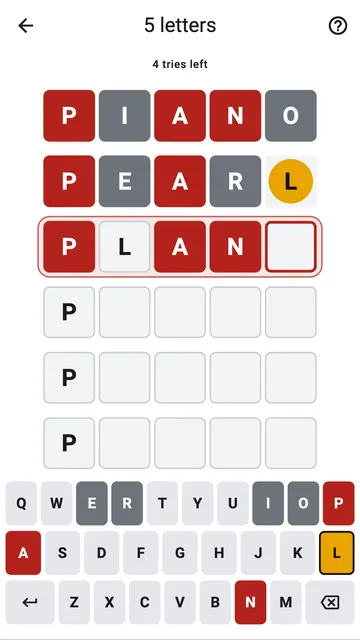
In Motrix, you never start from an empty row. The first letter of the word is given. When a letter is in the right place, it comes back, in red, at the same place on the next row.
A cursor you can move
A red outline shows the square where the next letter will go. Tap any square of the row to move it there. When you type, the cursor skips the letters already found. When the row is full, the word is checked by itself: there is no key to look for.
Found letters are a suggestion
A found letter is not locked. Tap its square and type another letter over it. This lets you play a throwaway word: a word with five new letters, to rule out as many letters as possible when nothing else fits. Only the first letter stays in place.
Start the row again
The delete key erases the last letter you typed, and skips the letters given by the game. Hold it down to clear the whole row: the given and found letters come back in their place.